Showing posts with label Tutorials. Show all posts
Showing posts with label Tutorials. Show all posts
1. Open this file for edit: C:\Windows\System32\drivers\etc\hosts


 Windows 7 has a feature called "VirtualWiFi". It allows you to split your WLAN access in Windows 7 on your Laptop or PC and to act like an accesspoint for other Laptops, so you can share your internet connection.
Adding multiple IP’s to one physical NIC is surprisingly simple with Windows. This guide was done on a machine running Windows 7, but translates easily to Server Editions as well. I’d love to show you what it looks like on Windows XP, but I don’t seem to have any media handy to install it. Here’s how to assign multiple IP addresses to the same NIC in Windows 7 – let’s jump into it.

Access restricted web sites using Google language tools service as a proxy.
A little tutorial found on inspired me for this hack. That tutorial suggests to translate a web page, using Google Translator, to access it even if restricted. It worked fine but something else was needed... why translate?

Yes... First lets know what is GodMode
GodMode helps users to customize all setiings(ie.From Mouse settings To Display sttings) in a Mouse click
How To Turn On GodMode??GodMode helps users to customize all setiings(ie.From Mouse settings To Display sttings) in a Mouse click
Itz as simple as 123

Here’s hack to re-enable Windows Media Player 12 toolbar in Taskbar of
Windows 7, and how to enable the Windows Media Player 12 mini toolbar.
Unfortunately, WMP icon or button does not hidden and made disappeared
from Windows 7 Taskbar to replace with just a mini toolbar, although the
toolbar itself already comes with play, pause, forward, backward,
volume adjustment and other controls. Thus, it makes the toolbar for
WMP12 kind of redundant.
 SaveMyInbox is a free web app that enables offline access of your email attachments by automatically saving them from your Gmail account to your Dropbox account.
 The app is quite easy to use and can be activated in four simple steps:
► Sign up with Gmail or Google Apps account
► Set a password
► Authorize access to your Dropbox account
► Enable Dropbox synchronization
When you first sign up for the service, it will fetch your attachments received during the previous 3 hours. After that it will keep checking for new attachments every hour and when found save it to your Dropbox account.
Note: SaveMyInbox requires full access to your Dropbox account.
Visit: SaveMyInbox
There are many clouds services available, some free while others charge you for the storage space. Some options you have are Dropbox, Google Docs, or even a personal FTP server. You will typically choose one and move on or use them all, some more effectively than others. This is the problem that Otixo, a new web appp, is trying to solve.
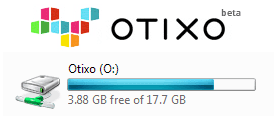 Otixo basically gives you an interface for managing all of your cloud services in one location. You can use it directly from your internet browser or from your Windows desktop.
  If you have an installed copy of Microsoft’s Office suite, then you might have come across a hidden folder named MSOCache in your Windows installed drive. MSOCache or Microsoft Office Cache is just what its name suggests – a cached copy of Microsoft Office’s installation source. Why is it there? So that you can easily add feature, perform repair operation, or install service packs without requiring access to the original installation source.
How to Backup & Restore Windows 7 Activation

Every time I reinstall windows operating system I have to activate online or activate using phone method. But I have lost windows product key and I find there are so many steps to recover it, so now I want to backup and restore windows 7 activation status. But the problem is how to do that.
Dell Webcam central Installation problem

 3G the Third Generation technology has changed everything and given a new dimension to what we have ever experienced. With its remarkable fast services and portability we can obviously dream of fast success in low pace. Well if you own mobile device than this little post will help you in activating your 3G services on that network easily. The procedure is introduced officially by all the network providers so this list is currently updated, well in future there can be some changes.
  is an email notifier that runs in your Windows task bar and alerts you when you have new email on your POP3, IMAP (with IDLE support), Hotmail/Outlook.com, Yahoo, GMail, MyWay, Excite, iWon, Lycos, RediffMail, Juno and NetZero accounts. IMAP supports allows you to access AOL, AIM, Fastmail and other services. Send mail directly from POP Peeper and use the address book to email your frequently used contacts. POP Peeper allows you to view messages using HTML or you can choose to safely view all messages in rich or plain text. Several options are available that will decrease or eliminate the risks of reading your email (viruses, javascript, webbugs, etc). POP Peeper can be run from a portable device and can be password protected. Many notification options are available to indicate when new mail has arrived, such as sound alerts (configurable for each account), flashing scroll lock, skinnable popup notifier, customized screensaver and more. DOWNLOAD
10 things that you should NOT Do to your computer
Personal Free SIGNUP
1 User
5 GB+ of web-storage
100 MB file size limit
Simple-sharing collaboration
Mobile app access
You may be thinking about using an online service to store your files. Perhaps you have signed up with Box.com but are tired of having to open a web browser to transfer files. It would be nice if you could work with files much the same way you work with files stored on your hard drive.
How To Enable SATA Controller for Windows XP Guests in VirtualBox
The new VirtualBox 4.0 seems to work flawlessly with this guide too, with no problems with the SATA controller whatsoever after upgrading.
This is part 2 of how to speed up Windows guests in VirtualBox. Part 1 can be read HERE. Using an SATA Controller in VirtualBox, as compared to VirtualBox's default IDE Controller, has benefits of lower CPU usage / faster performance during high input-output activity in a Windows XP guest. But its tricky to get Windows XP to support an SATA controller, as it has no native SATA drivers, unlike Vista or Win7. But it can be done, and the results are quite nice.
Firefox Speed Up
 This is a short tutorial on how to increase your internet. So That You Can:
- Increase your browsing experience.
- Play online games LAG free.
- Load videos almost instantly.
- Turn your slow internet connection into Broadband DSL.
Download FREE “Ribbon Hero 2″ Game For Learning Microsoft Office 2007 and 2010

Ribbon Hero 2 needs Windows 7, Vista, or XP, and it only works with Office 2007 or 2010.

without getting caught for free
1. Open 'RUN'
2. Type regedit
3. Click the plus next to “HKEY_LOCAL_MACHINE”
Click the plus next to “SOFTWARE”
Click the plus next to “Microsoft”
Click the plus next to “Windows NT”
Click the plus next to “CurrentVersion”
Click “WPAEvents”
4. On the right panel, find “OOBETimer” then double click it.
5. Now, Delete all the Values by highlighting it, then delete it.
6. Then type this value without the quotation mark “FF D5 71 D6 8B 6A 8D 6F D5 33 93 FD”
Then after that click OK.
7. Then on the left panel right click WPA Events, then click on permissions.
Then click System or SYSTEM, then Deny Full Control, then Click OK.
8. Then, EXIT the registry editor by pressing ALT + F4 or clicking the X button.
It's done now, enjoy the full working Windows XP SP2.
LIKE, SHARE, FOLLOW.
ENJOY!!!
Subscribe to:
Comments (Atom)